
The correcting process, improving the overall outlook of an image, photograph, and video, is known as editing.
It is an essential component of photography, be it outdoor, birthday shoot, wedding shoot, wildlife, etc.
The effort that goes into photography and videography is not discussed enough, probably due to the public’s lack of knowledge or the photographers’ failure to take the recognition they deserve.
Aside from the work that goes into taking those fantastic outdoor and indoor shots, there is even more work to be done behind the scene.
It ranges from merging, resizing, cropping, and the overall editing of photos and videos.
The days when editing was done offline are gone.
Nowadays, online software allows you to cut, crop, make a slideshow, and edit your photos and videos the way you want.
The software is available for free or at a low cost and can be run on almost every device.
Below, we are going to discuss the essential steps in photo editing.
Crop your photos
The crop tool is there for you to change your image’s size and change the aspect ratio.
Cropping allows you to change a picture from a rectangular shape to a square shape.
There are several reasons why cropping is an essential editing feature, including changing aspect ratio and different formats.
How to Level Your Photos
Sometimes, when taking outdoor shots, you may forget to check or probably not notice that the horizon line is not level, but the good news is that you can make your pictures so that nobody would see any fault with editing.
Vignetting Your Photos
Vignetting is the process of making some parts of your image darker than the other parts.
The aim of vignetting is to bring to fore and make more explicit the subject of the shot.
However, vignetting on some editing apps is restricted to the edges and corners.
Still, in applications and software like Lightroom and Snapseed, you can select any part of the image you would like to darken or lighten.
How to Adjust Colors
Another important aspect of editing is color adjustment.
Color adjustment allows you to change the image’s overall warmth to individually changing the saturation of specific colors in a particular image.
How to Adjust the Contrast
For this article, I will explain some of the straightforward color-changing techniques you can employ to make your pictures more visually impactful.

The function of contrast is to accentuate the distinction between the light and dark parts of an image.
Increasing the contrast of an image can drastically improve or reduce the visual impact by clearly distinguishing between the light and the dark elements.
Blemish correction
Blemish correction is also known as image healing.
It is the process of removing an unwanted object from an image.
Blemish correction is the same as eliminating unwanted pimples on the face and is considered the easiest of all the primary editing tools.
Blemish correction is also known as image healing because, in theory, you can remove an object from a scene probably because the object seems out of place or reduces the beauty of the image.
And subsequently, replace the removed item with another object that is alien to the scenery but perfectly fits the idea.
Adjust Shadows and Highlights while Editing
Shadows sometimes manage to creep into our shots, which will end up making our image look brighter or darker than we want.
However, we can fix this by changing the shadow’s brightness and highlighting specific areas with the ‘Shadow and Highlight’ tool.
The tool works better on RAW and unedited files as they are more likely to retain more information on the shadow areas of the image, unlike a compressed JPG, which loses most of these details to reduce and save file size.
The best app to use when editing shadows and highlights from your image in Lightroom.
However, Snapseed is also a close contender; this tool is available under the ‘Tune Image’ setting.
Almost all these editing can be done on the video.
You can also trim, crop, rotate, add text or music effect, and even change the speed of your video.

Editing is a crucial step in photography and videography, and far too many people skip this process.
However, from the points listed above, it is obvious that there is more to editing than just changing filters.
This is because editing is all about improving your travel photography immensely as long as you incorporate some of these tips or employ the services of some of the software and applications mentioned in this post.
Tools for Photo and Video Editing
The next time you take your wedding shoot, travel photo-shoot, outdoor shoot, birthday shoot, and you need to edit, the following apps and software allow you to edit your photos and videos online.
Let’s take a look at the best video and photo editors available in 2020.
1. Fastreel
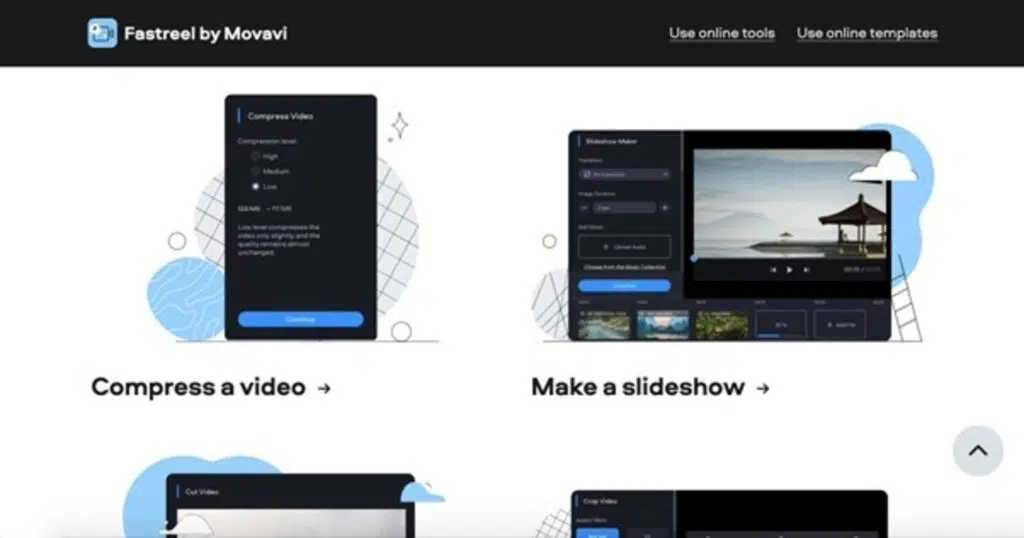
Fastreel is an online video editing software that allows you to edit your videos without downloading any app.
Everything you need to edit your stuff is available online.
Simply post your video on the website and start editing your taste.
Some of the features and offerings of Fastreel include:
- Fastreel allows a wide selection of transitions to place in between clips
- You can adjust your selected image and set the desired duration for your video
- Fastreel comes with hundreds of copyright-free music tracks that you can use in your clips. You can also upload or add your music
- Fastreel is strictly online, as you do not need to download or install anything. All you need to do is on the website that means online
- The Fastreel interface is simple and easy to use
2. Fotor
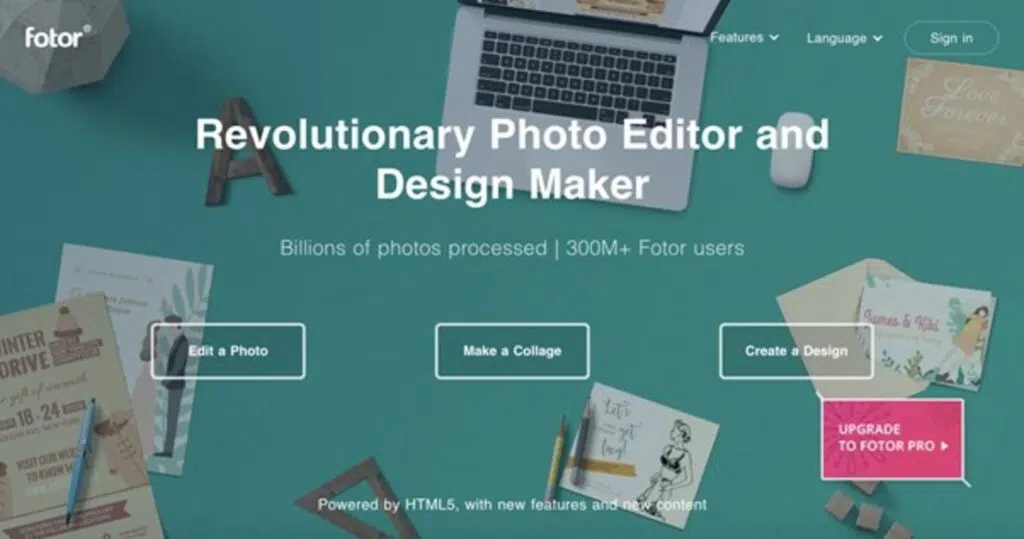
Fotor is an online editor for photos and videos.
They have a few versions of editing: you can create a collage, design, or edit a photo.
When it comes to image editing, Fotor allows you to adjust colors, change the size, retouch a portrait, and add photo effects and filters.
Besides, they offer numerous templates for different designs, such as Facebook Banners and Post, Youtube Channel Art, Logo, Twitter Cover, Blog Title, Menu, Resume, and more.
Choose a pre-made template of the design and change anything you want on it, including titles, images, and colors.
3. Hippo Video

Hippo Video is a popular video engaging platform for the B2B sector.
They offer videos as the main tool of your sales outreach and a tool to get your potential clients’ attention.
Video is also a great way to show your prospects that you are real.
Video increases the response rate in 3x times, as Hippo Video claims.
The current realities were completely changed with Covid19.
More and more companies are going online, and that’s where video sales will come in handy.
You can create videos for your branding, testimonials, lead generation, sales pitch, and audience demographics.
We can’t wait to see an improvement in your pictures and videos, starting from now.